
Thread Sharing: letting teams share AI work without sharing more than they meant to.
Liminal, Big Bet #2. Workshop, product strategy, and every screen of v1.
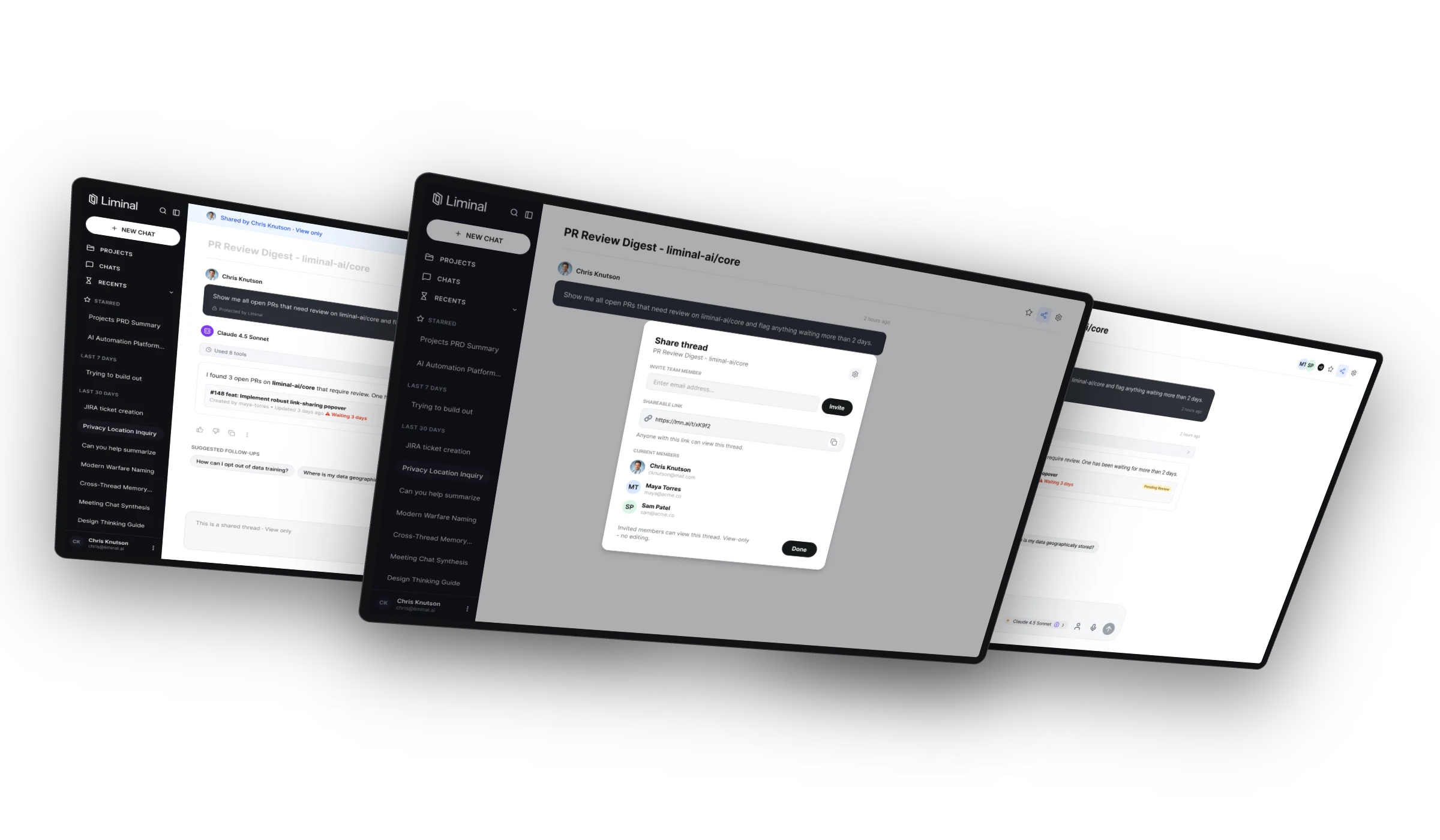
Liminal started as a single-player tool: one person, one thread, one model. But the questions people bring to it rarely belong to one person. Someone finds the answer, and the next thing they want to do is show a colleague.
Collaboration was Liminal's second Big Bet. I facilitated the workshop that kicked it off, turned what came out of it into five product tracks, and designed v1 end to end.
ROLES
ROLES
Facilitation
Product Strategy
Interaction Design
Interface Design
Prototyping
Content Design
PLATFORM
PLATFORM
Web
Mobile
YEAR
2026
“Collaboration” sounded like one feature. In the room, it turned out to be three.
Sharing. Show someone what you found. Read-only, deliberate, and the best understood of the three, which made it the natural place to start.
Collaboration. Several people working in one thread at the same time. This is where the room split: two people prompting while the model is still responding is a race condition, not a feature.
Branching. Collaboration with yourself. Fork a thread from any message and explore without losing the original. Nobody planned to talk about it, and it got the most energy in the room.
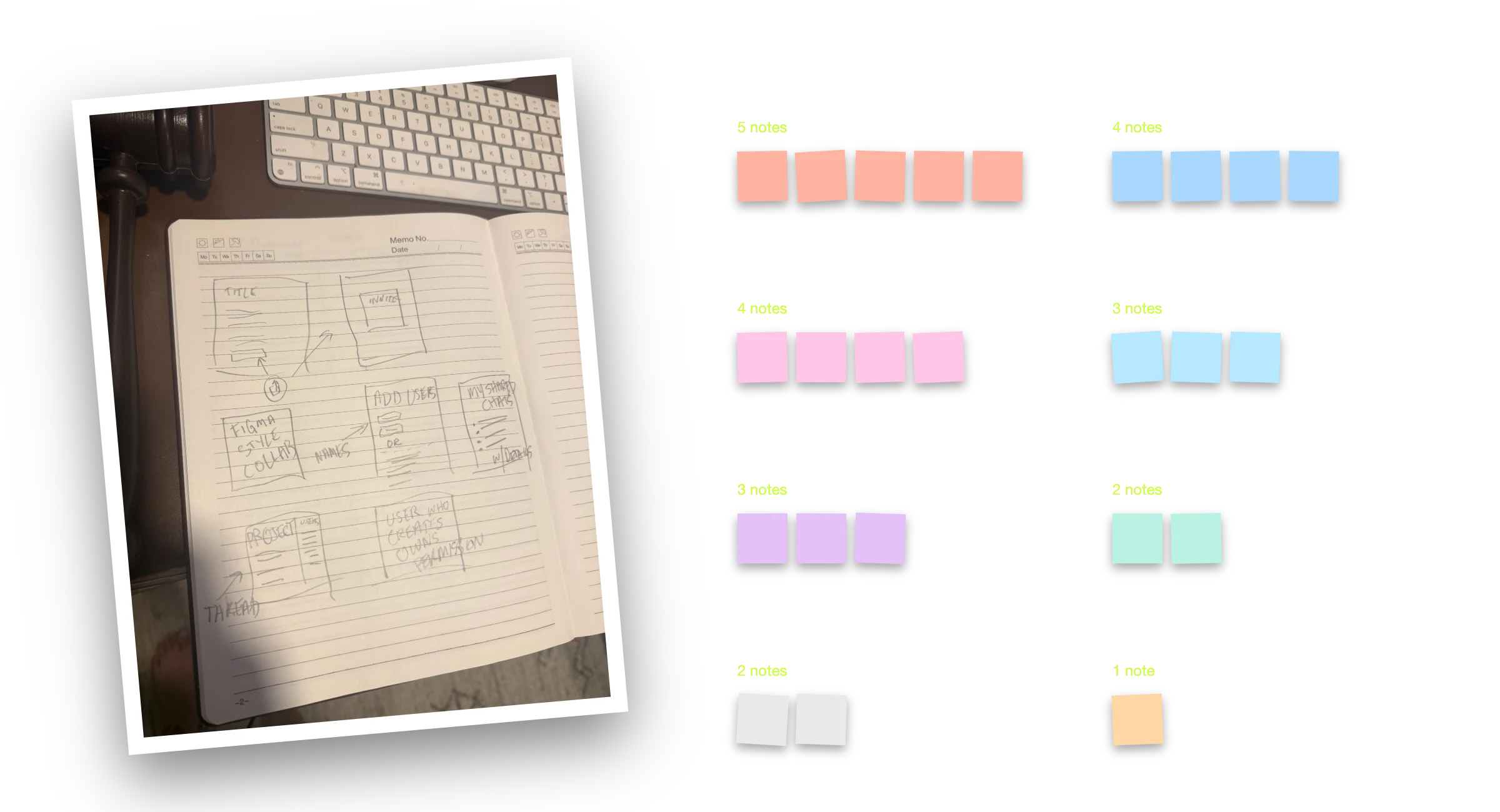
Before anyone opened Figma, I got the whole team's instincts on the table.
I ran a 90-minute design thinking session with nine people across product, design and engineering. Crazy Eights got ideas out fast, brainwriting let people build on each other's, and an improvised card sort grouped what we had.
Notifications came out as the biggest cluster, even though nobody walked in thinking about them. Almost every collaboration idea depends on knowing when something changed. Rather than book a second session, we agreed to synthesize offline and pick the highest-value next step.
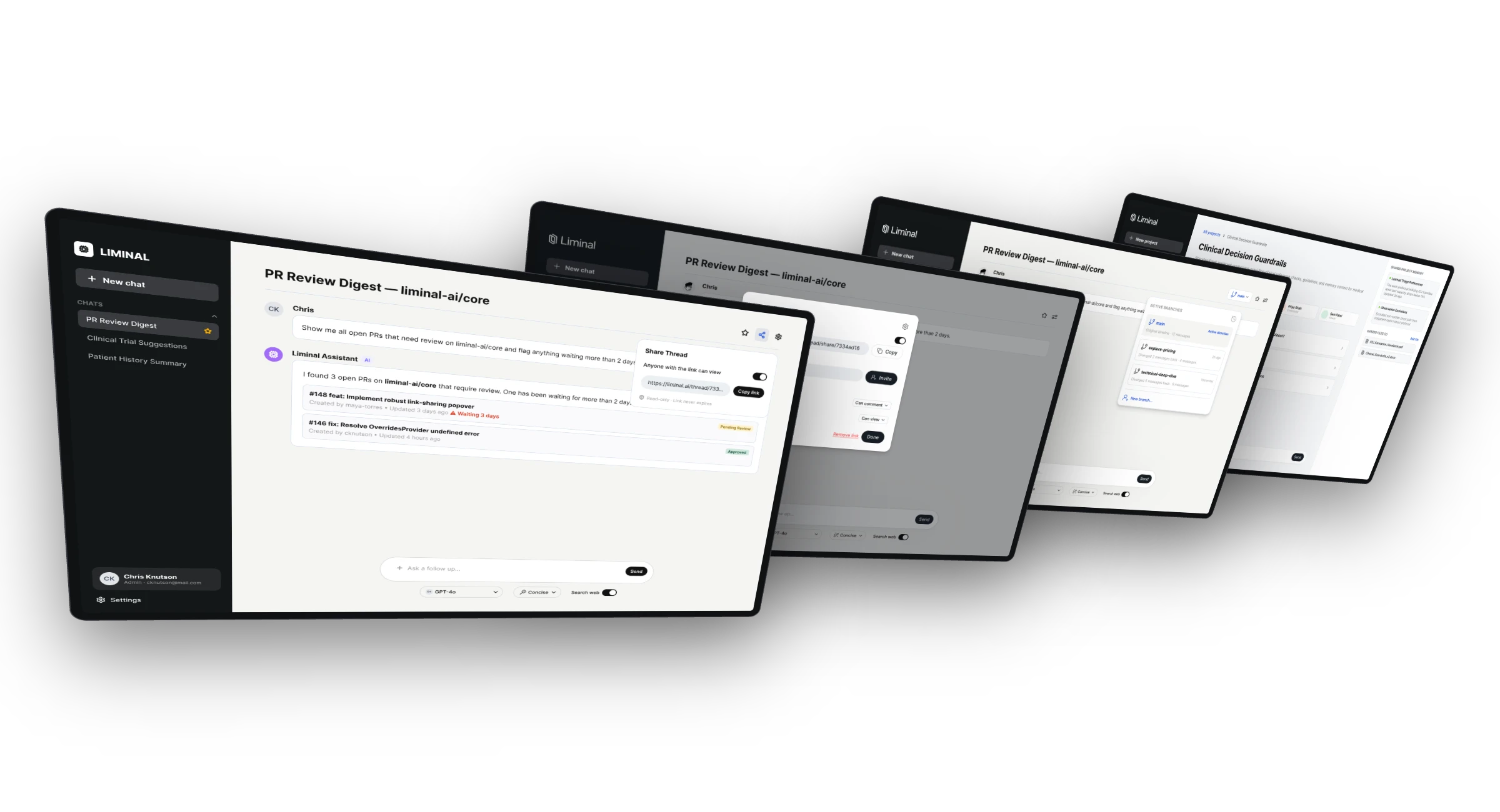
So I designed the range, not just the answer.
Five tracks, each with real screens and a written why, how and edge cases, so the team could weigh cost against value instead of arguing in the abstract.
Track 1, link only. One click to make a read-only link, one click to copy it. Lowest friction, and no way to take it back.
Track 2, sharing with controls. A people picker, permissions and expiry, plus live presence and an activity feed.
Track 3, the full vision. Real-time collaboration, prompt locking and branching. The team started calling it “Liminal Git.”
Track 4, shared projects. Share a workspace instead of a conversation, and sidestep multi-writer editing entirely.
Track 5, invite-only v1. The scoped version we could build now.
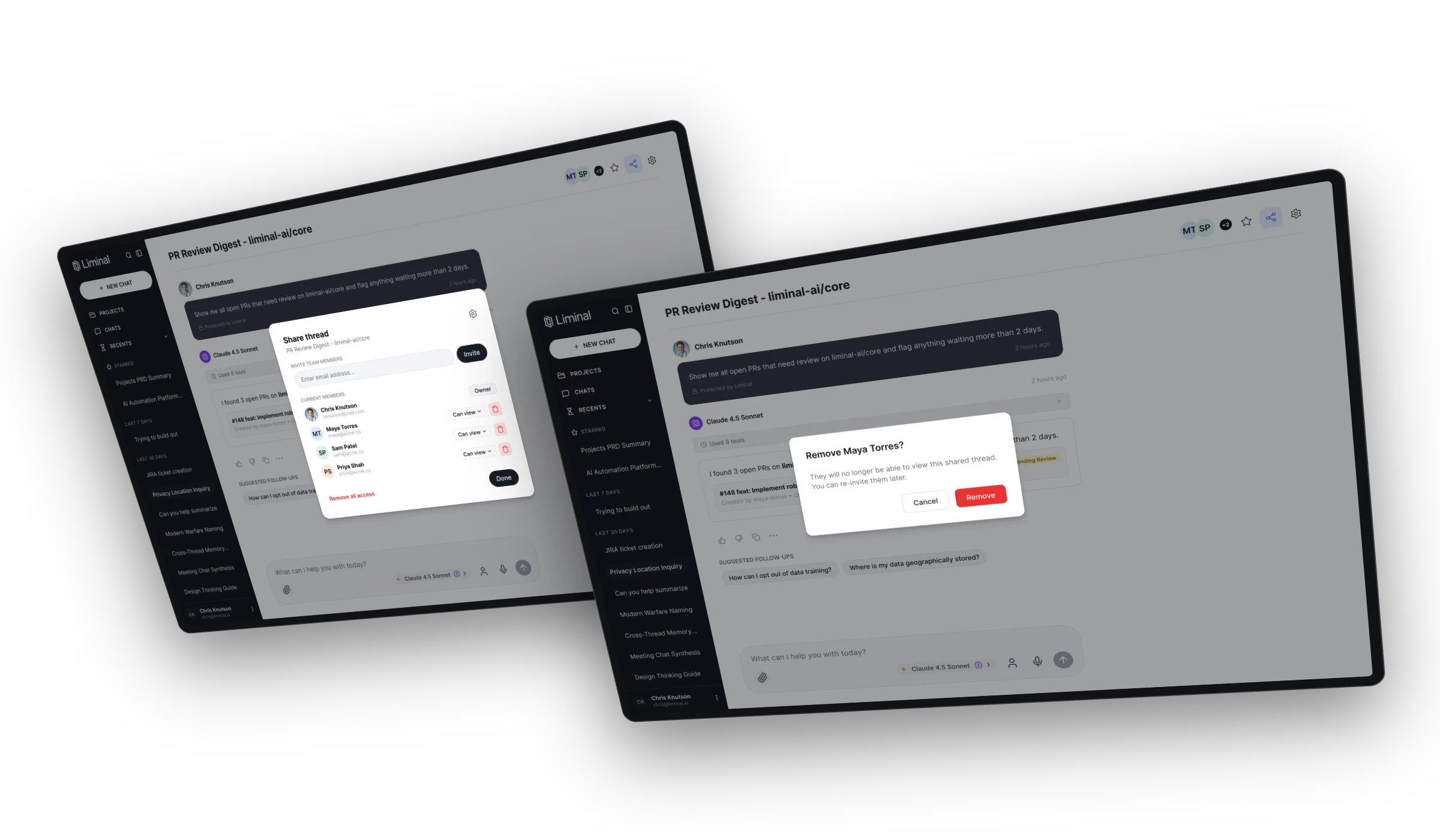
We scoped v1 to the smallest version that's honest about who can see what.
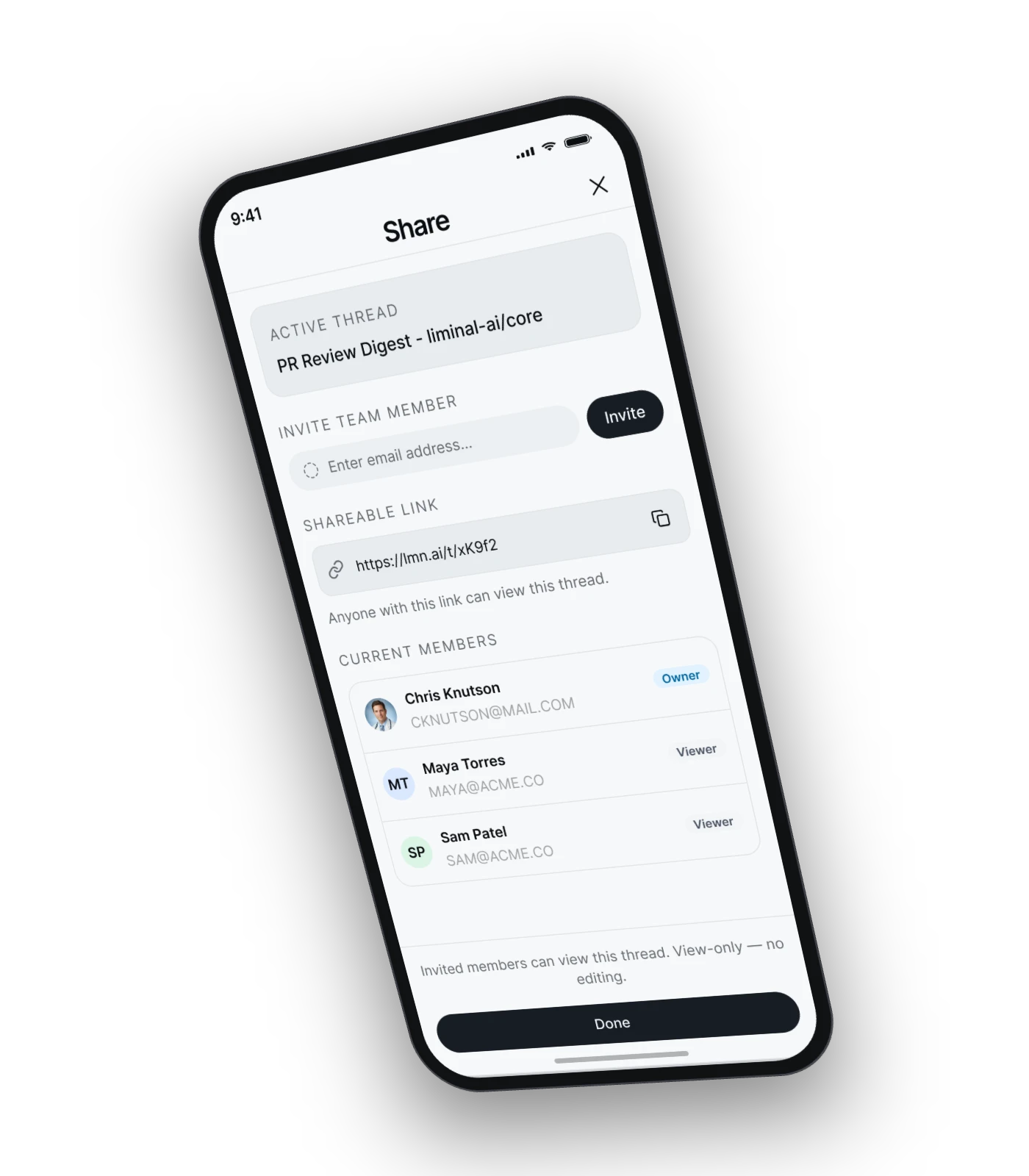
V1 is view-only. You invite specific teammates by email or copy a view-only link, and they see the thread exactly as you do, minus the controls. No co-editing, no live presence. Ship it, learn, get feedback.
It reuses the invite pattern people already know from Projects. Owners see an avatar stack on every shared thread so they never forget who can read it, and the same modal is where access comes back out: one person at a time, or everyone at once with Remove all access.
Every removal names the person or the scope before it happens. In a governed product, taking access away matters as much as giving it.
For the person on the other end, it's obvious what they can and can't do.
Shared threads show up under Shared with me. A banner says who shared it and that it's view-only, and the composer is replaced with one clear action: Duplicate to my chats, which gives them their own copy to keep working in.
The same flow works on mobile, so sharing isn't a desktop-only habit.
The hardest questions weren't about the UI.
Memory leakage. If the AI remembers things about the owner, could it surface them to someone the thread was shared with?
Live or snapshot? If the owner keeps chatting, does the recipient see new messages, or the thread as it was?
What does a duplicate carry? Does a copy include the owner's system prompt and memory context?
Forgetting it’s shared. Should the composer warn you before you post something sensitive into a thread three people can read?
I wrote questions like these next to every screen, so they were part of scoping from day one.
Sharing first. Collaboration and branching once we see how teams use it.
V1 is in development with engineering. The workshop gave us a sequence instead of a wishlist: ship the part that's well understood, watch how people actually share, then layer on the riskier pieces with real usage behind them.
WHAT I OWNED
Workshop facilitation
Synthesis
Five-track exploration
V1 flows and UI
Edge-case specs
Wanna see it in action? Just ask!
Wanna see it in action? Just ask!
Wanna see it in action? Just ask!
Reach out to me at ck@chrisknutson.design
Reach out to me at ck@chrisknutson.design
Reach out to me at ck@chrisknutson.design